Introduction
Innova Electronics presents a cutting-edge function, the Repair Info Powered by MOTOR, integrated into the Innova Smart Diagnostic System (SDS) 7111 Tablet. This function is designed to provide comprehensive information on repairing and replacing parts affected by the most critical Confirmed/MIL Diagnostic Trouble Code (DTC) while offering extensive powertrain data. This article provides all the essential details about this powerful feature and explains how to access it using the Innova SDS 7111 Tablet.
Procedures
A. ACCESS REPAIR INFO POWERED BY MOTOR
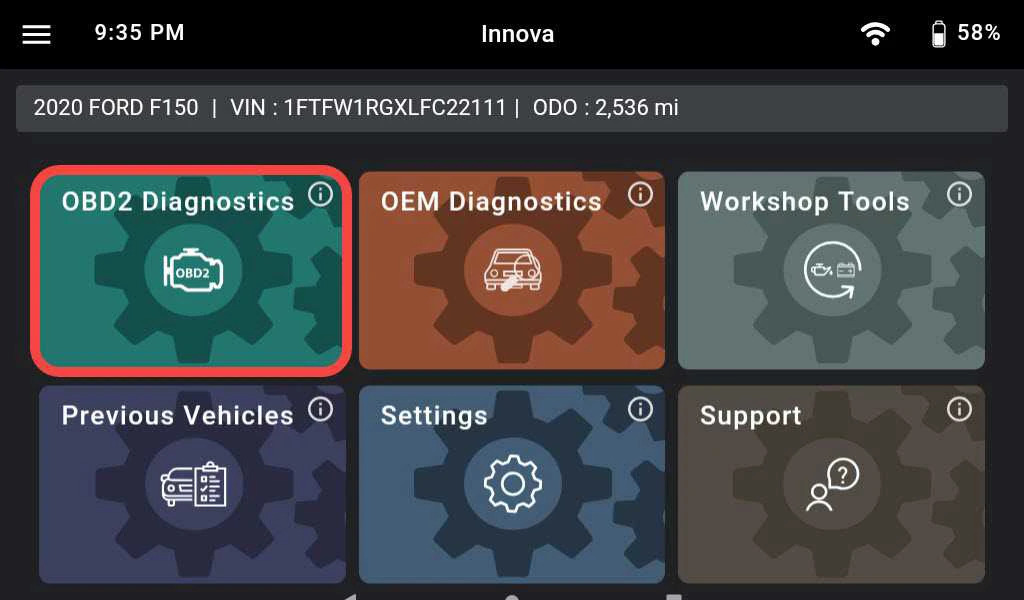
Step 1:
- Connect the Innova SDS 7111 Tablet to the vehicle via the Data Link Connector (DLC).
- Tap OBD II Diagnostics.
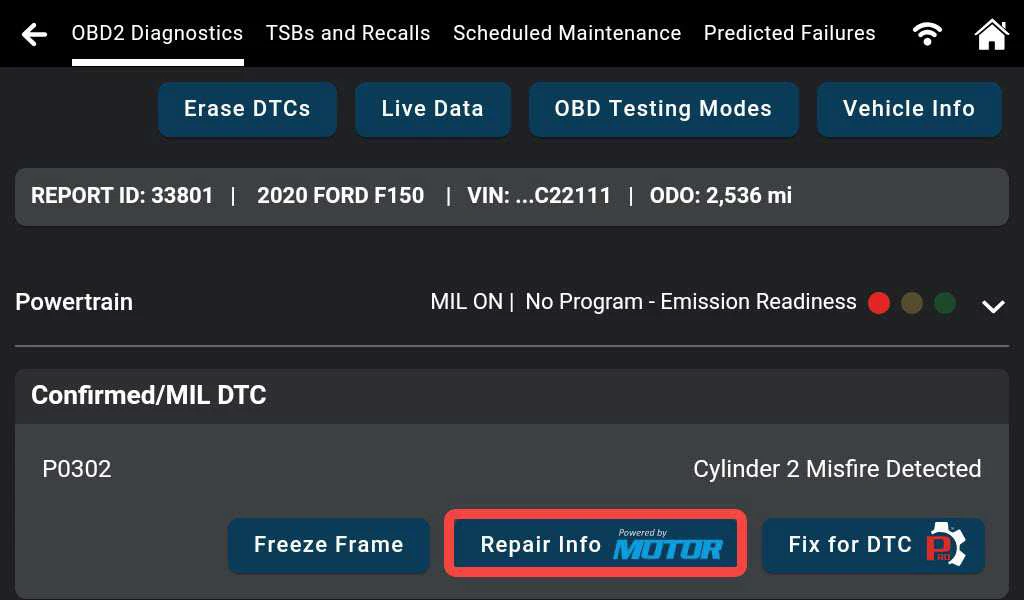
Step 2:
- Wait for Innova SDS 7111 Tablet to combine and display data.
- Tap the Repair Info Powered by MOTOR button.
B. SET UP AN ACCOUNT
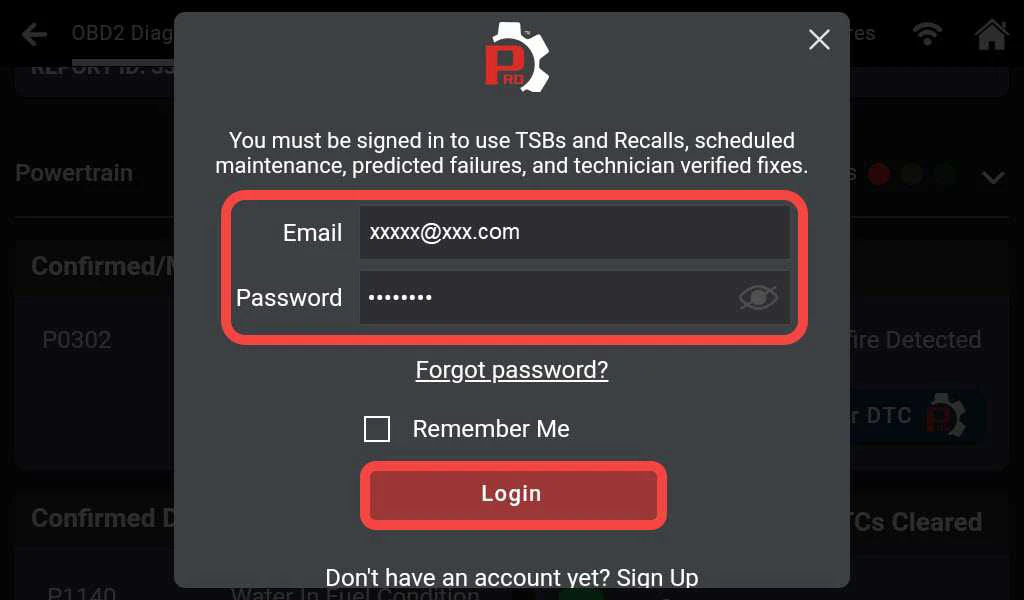
Step 1:
- Enter the account information.
- Tap Login.
Note: If your account purchased the Repair Info Powered by MOTOR plan, proceed to Section C.
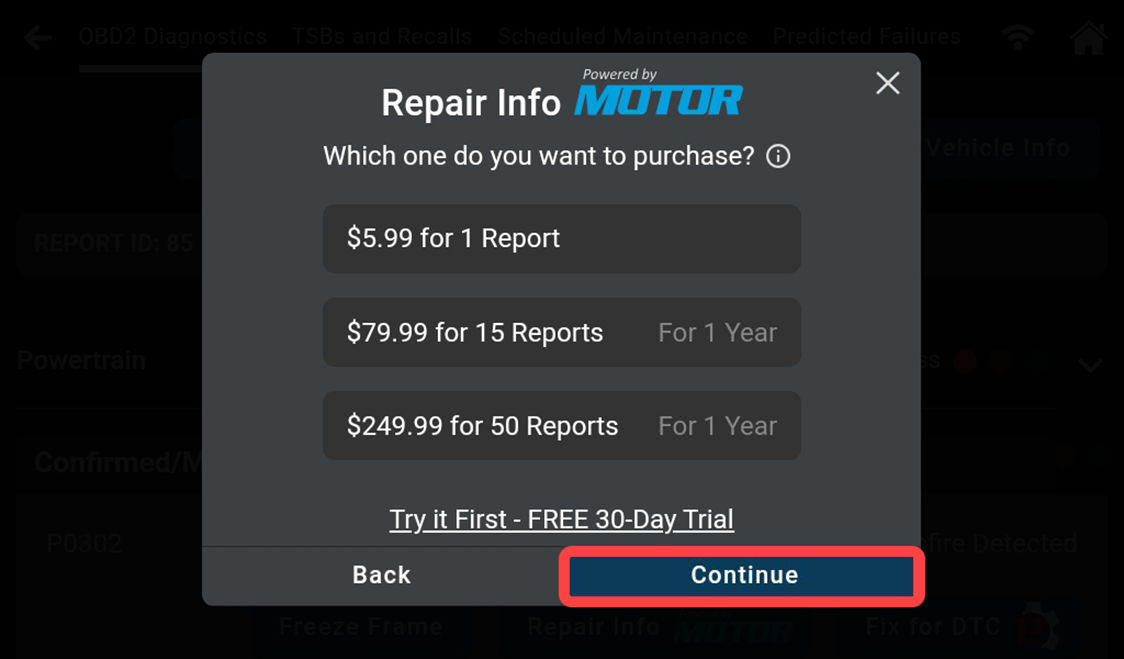
Step 2:
- Choose the desired plan.
- Tap Continue.
Note: We offer you a 30-day plan for a free trial experience.
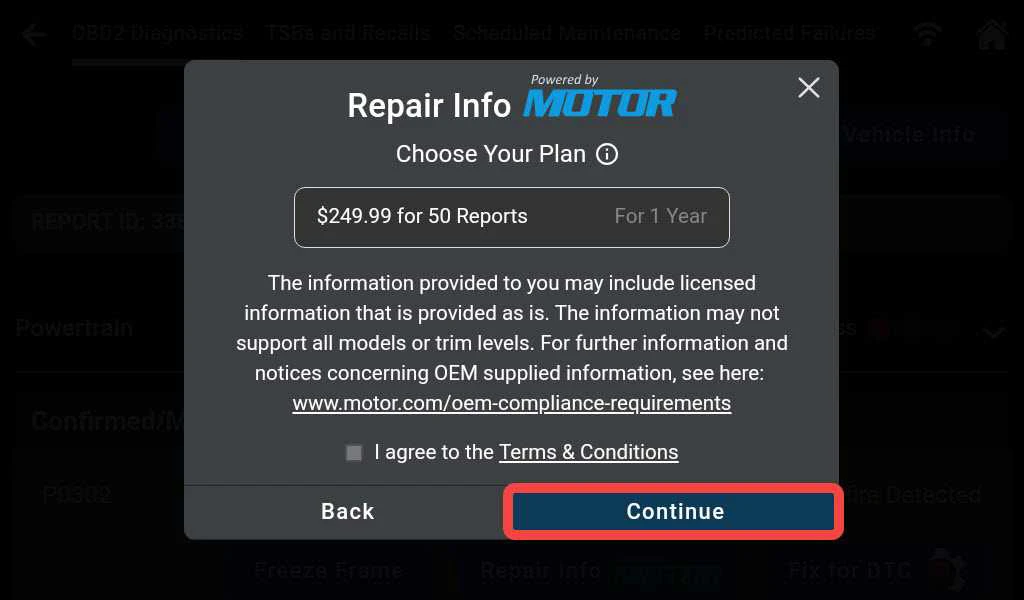
Step 3:
- Read the Terms & Conditions.
- Select the checkbox to agree.
- Tap Continue.
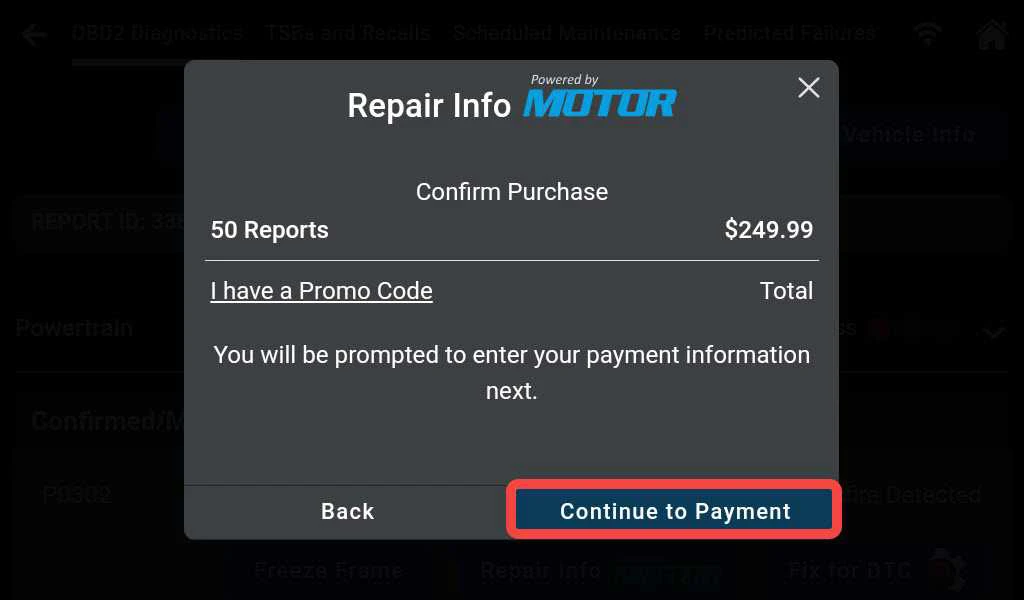
Step 4:
- Tap Continue to Payment.
Note: Enter the Promo Code if available.
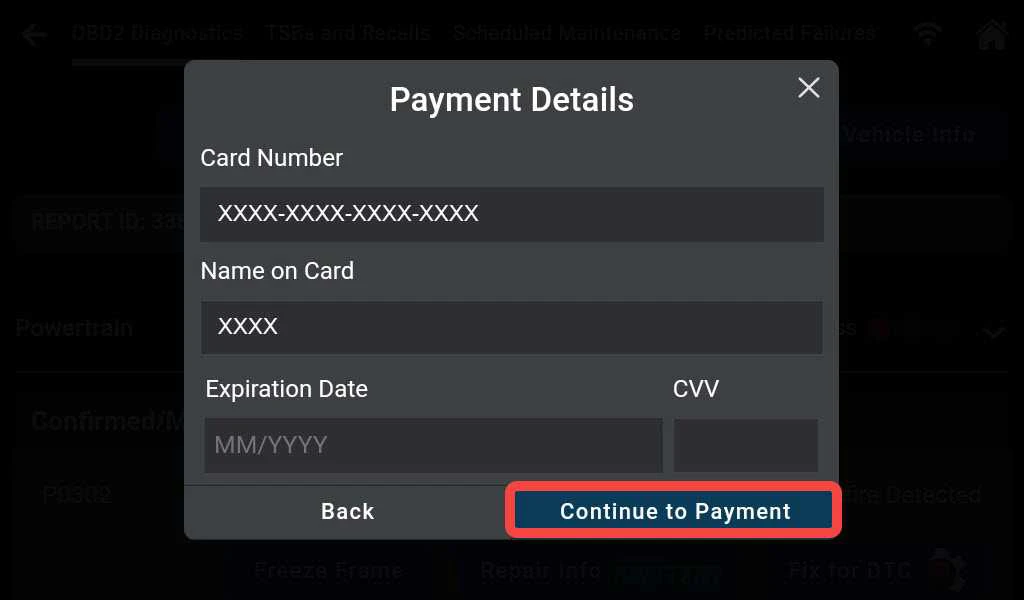
Step 5:
- Enter the account information.
- Tap Continue to Payment.
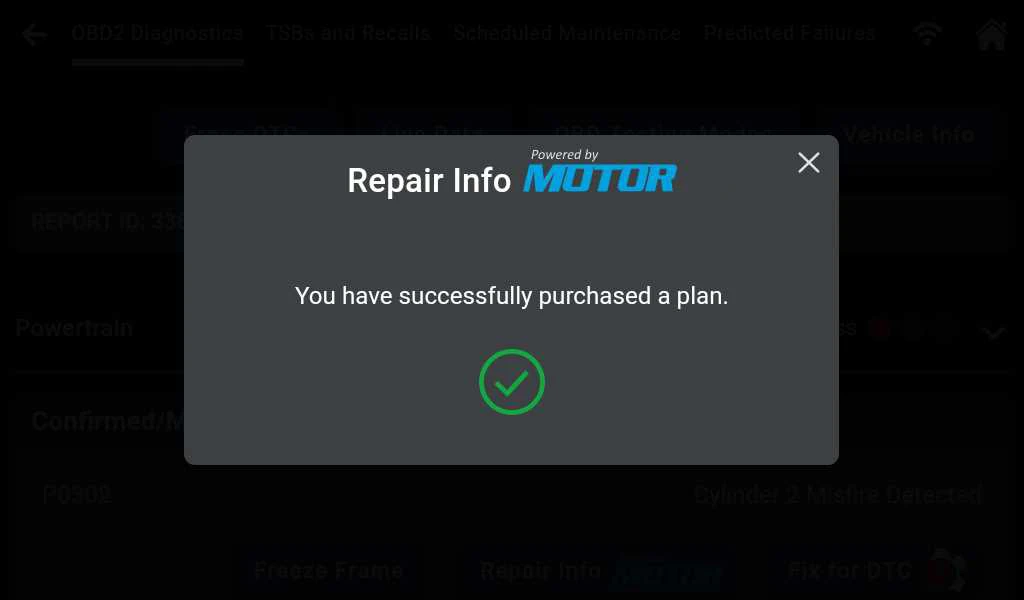
Step 6:
- Payment is successful, the Repair Info Powered by MOTOR feature is now ready to use.
Tap the X to continue.
C. STRUCTURE OF REPAIR INFO POWERED BY MOTOR
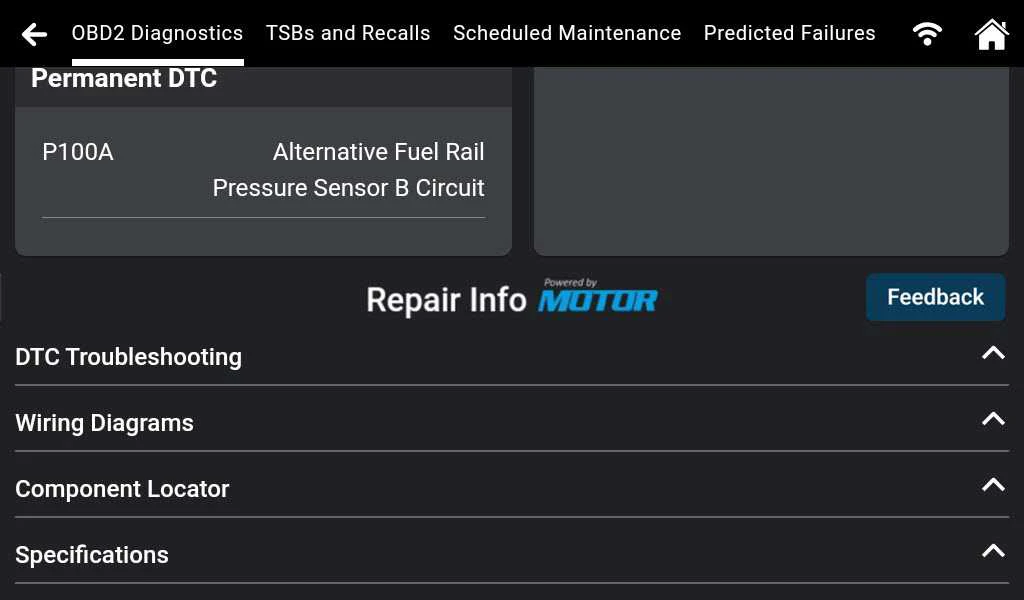
- Scroll down and tap the desired feature.
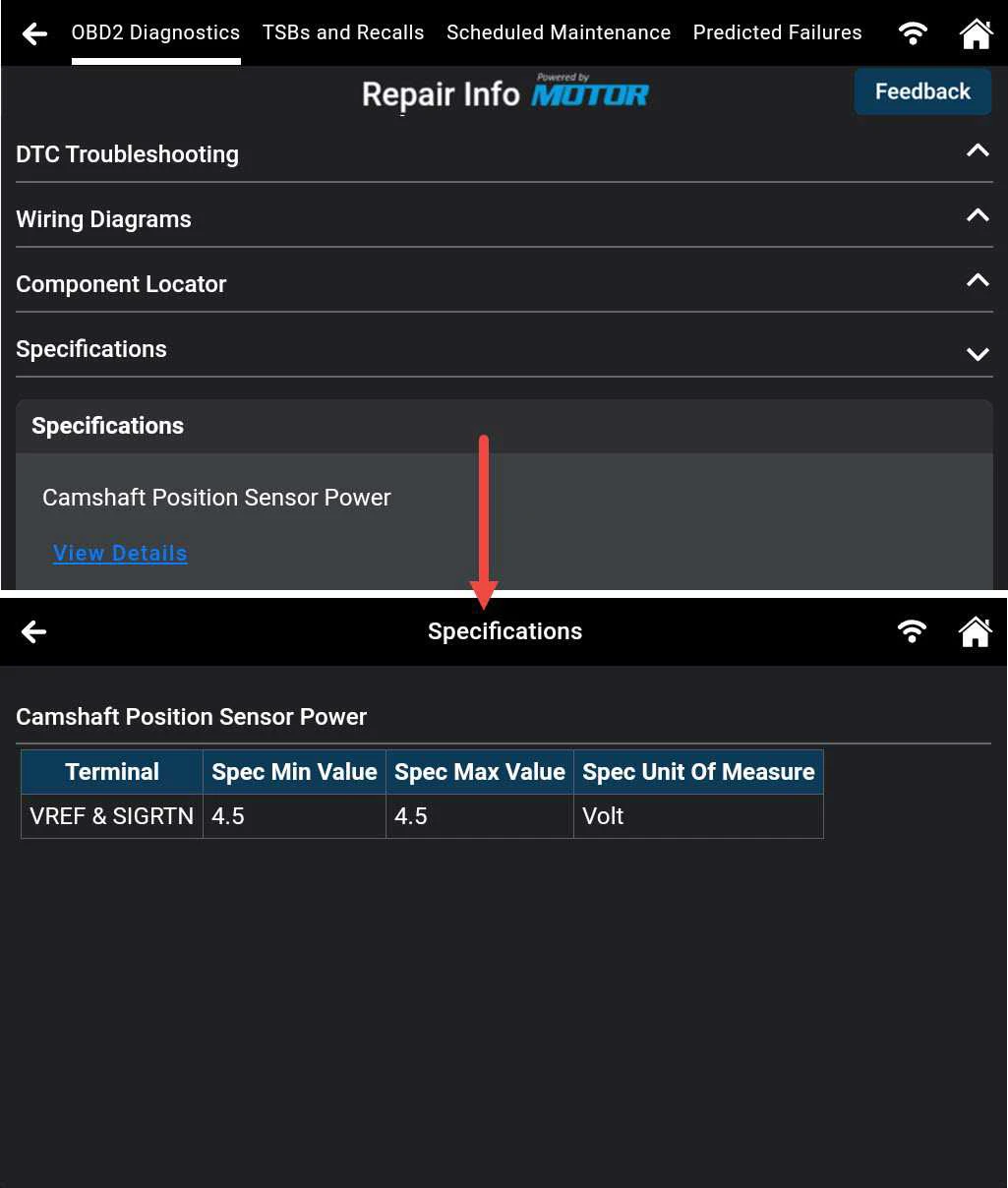
- There are 4 main features: DTC Troubleshooting, Wiring Diagrams, Component Locator, and Specifications.
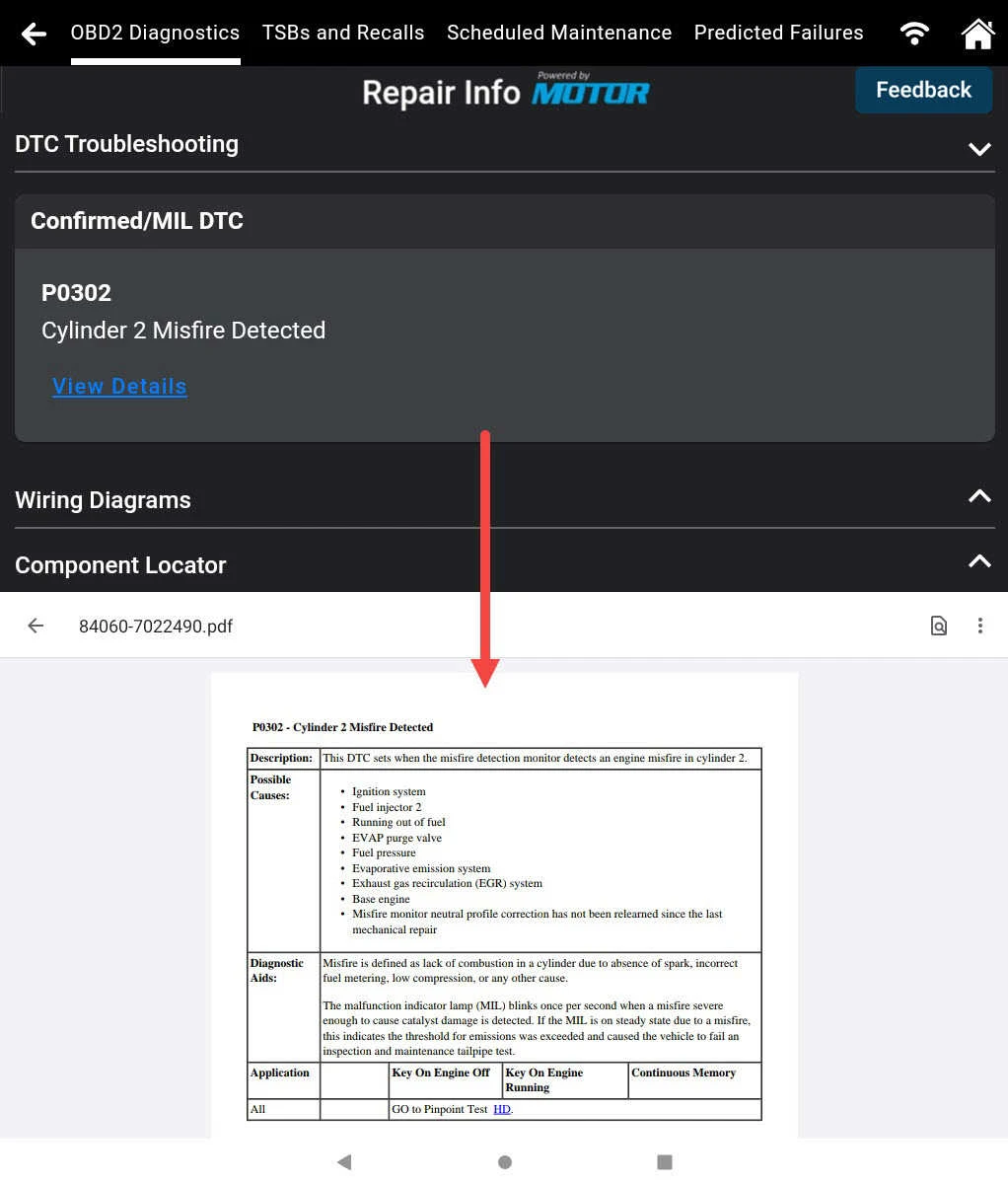
1. DTC Troubleshooting: Provides a detailed description, potential causes, diagnostic aids, and technical insights related to specific DTCs.
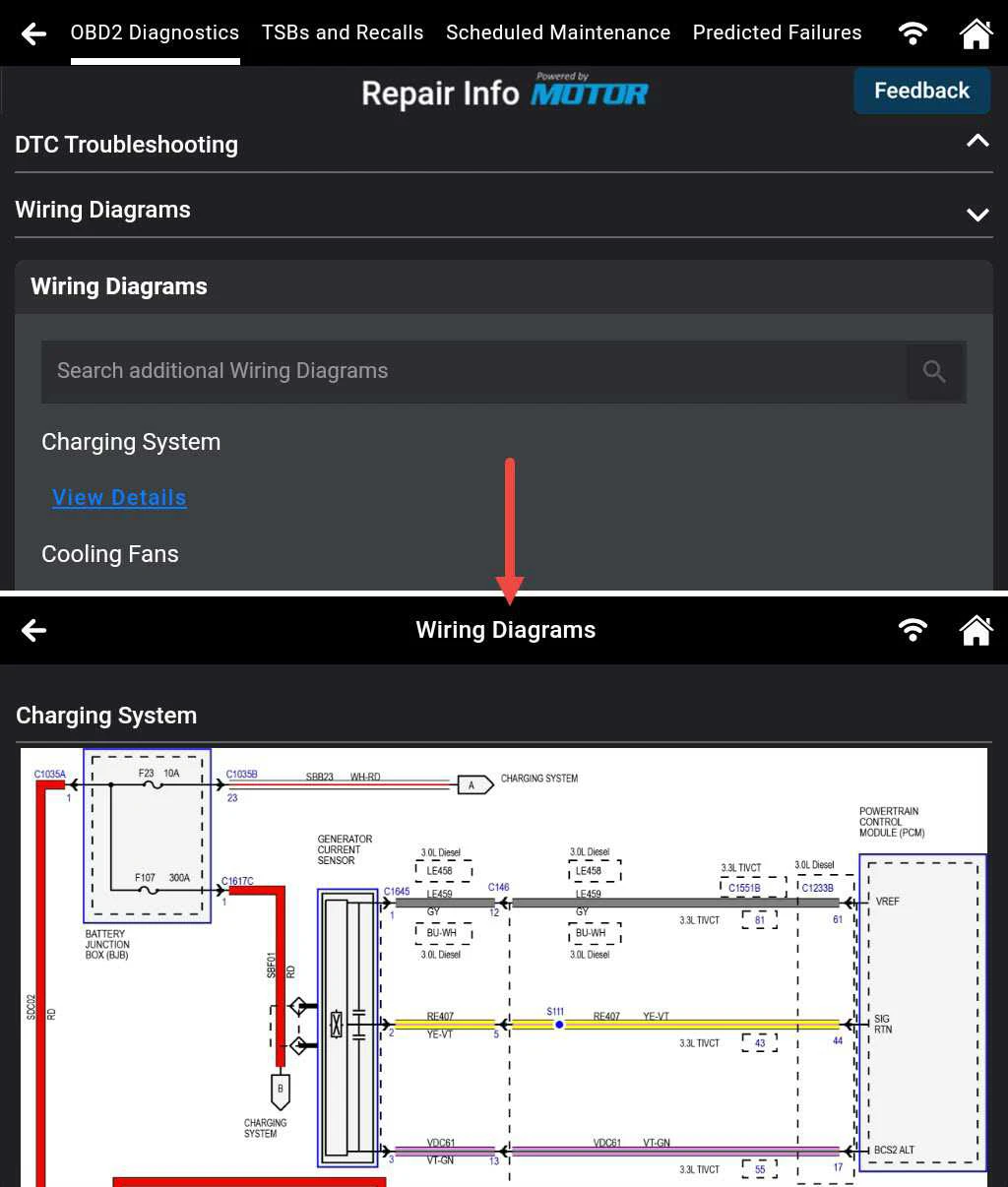
2. Wiring Diagrams: Offers detailed diagrams for sensors and components to simplify electrical repairs.
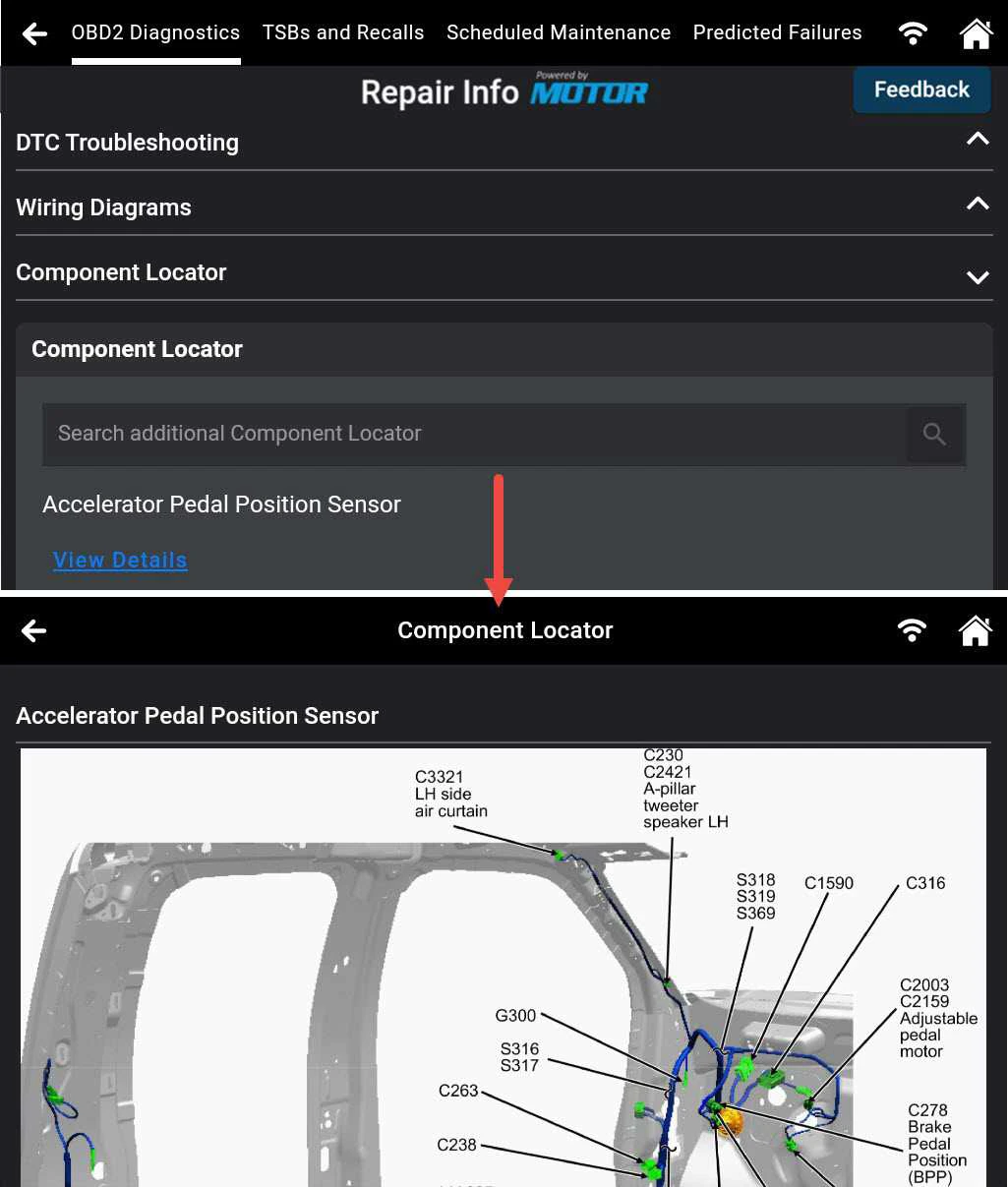
3. Component Locator: Displays clear, vehicle-specific images for efficient part identification and replacement.
4. Specifications: Lists proper torque settings, standards, and data essential for parts replacement.
D. FEEDBACK TO MOTOR
Step 1:
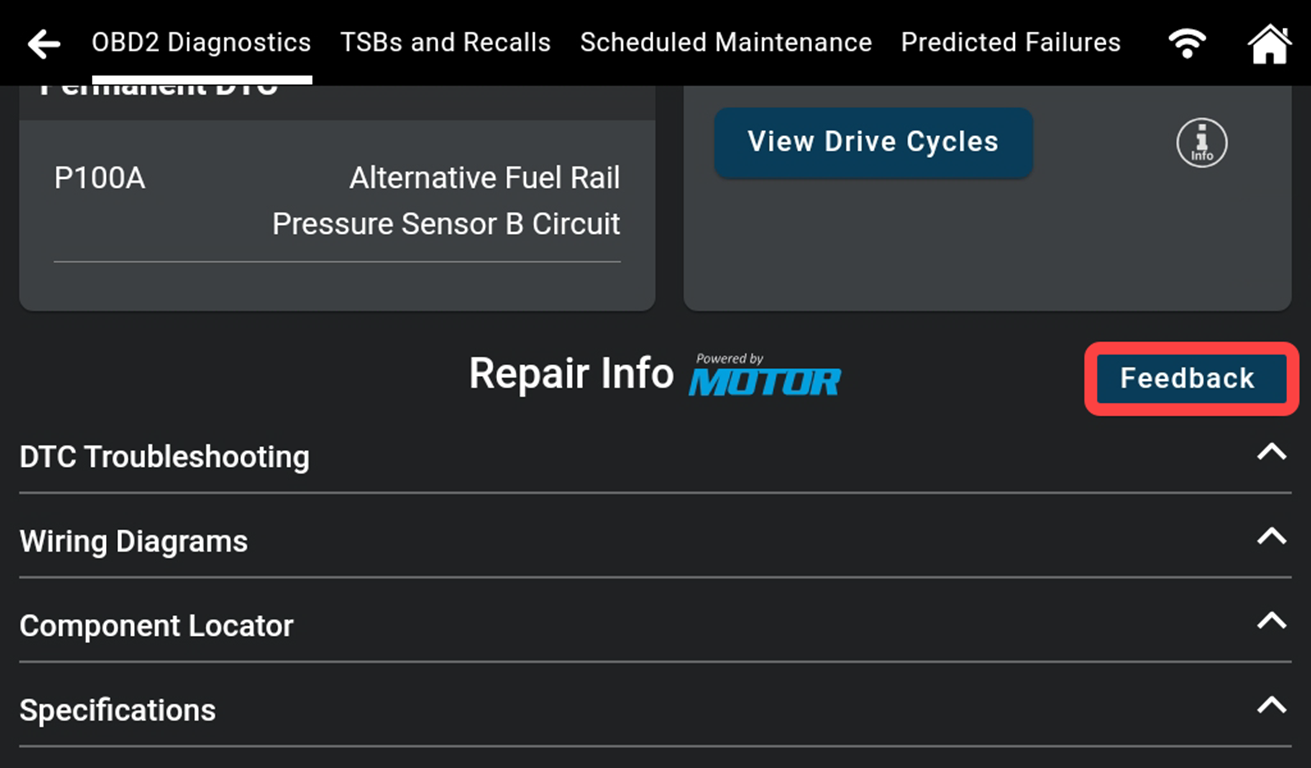
- Tap Feedback.
- Read our recommendations and ensure that your vehicle information, tools, and email are accurate.
- Scroll down.
Step 2:
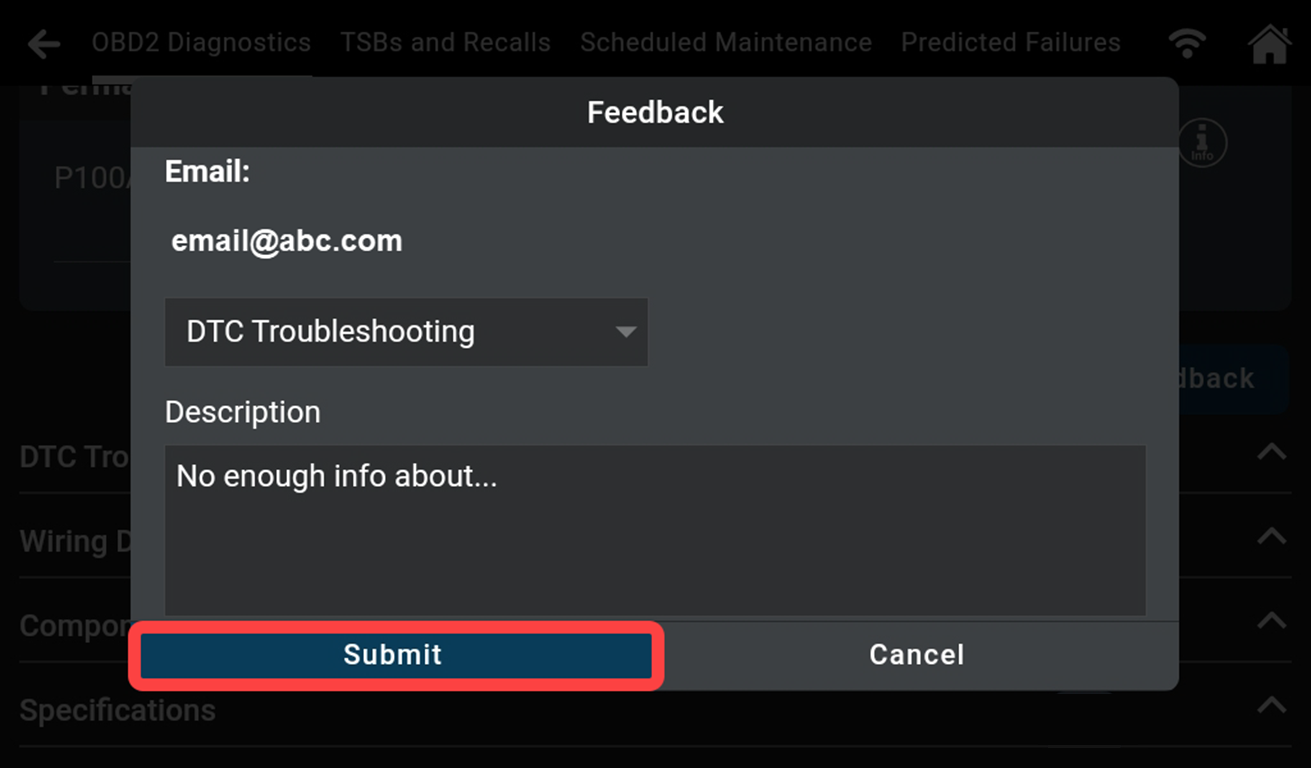
- Choose a category.
- Provide additional details about the issue you're facing.
- Tap Submit.
Summary
The Repair Info Powered by MOTOR feature on the Innova SDS 7111 Tablet provides fast, easy access to essential diagnostic and repair data for vehicles with Confirmed/MIL DTCs. It offers comprehensive powertrain information and free access to related repair info if the same DTC reoccurs within a month. To activate the feature, simply select a package, agree to the terms, and enter payment details registration is quick and easy.